 DASAPT
 Xinren Chen
Volume map puts a voxel overlay on the 3D reconstruction. Use it for concentration, ion density, peak ratios, or multiplicity. Load a POS, EPOS, or APT file with reconstructed XYZ, apply your ranges, then click Volume map on the toolbar.
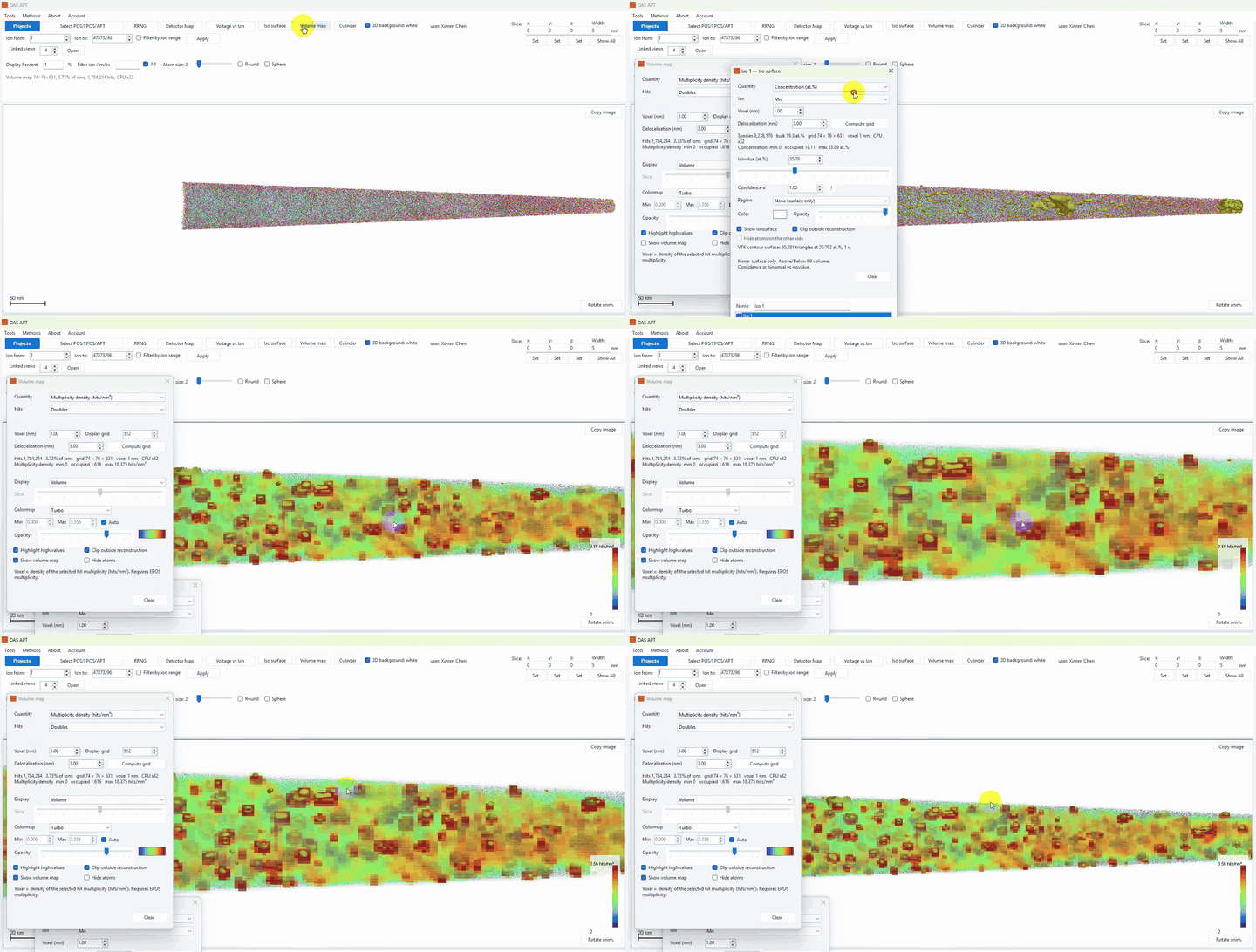
Compute a map
- Click Volume map.
- Choose Quantity:
- Concentration (at.%) — composition of one ion or element on the voxel grid.
- Ion density (ions/nm³) — number density.
- Peak ratio A/B or A/(A+B) — ratio of two RRNG isotope peaks.
- Multiplicity density (hits/nm³) — needs an EPOS file. See How to use multiplicity density volume maps.
- Pick the ion, or the two peaks for a ratio. For concentration, the grid is computed once for all elements; you can switch Ion afterwards without recomputing.
- Set Voxel (nm), Display grid (default 1024, up to 2048), and Delocalization (nm).
- Click Compute grid.
- Display can be Volume or Slice. Adjust the colormap, Min/Max, Highlight high values, and Clip outside reconstruction as needed.
After the map is computed
- The overlay stays in the 3D view when you close the settings window. The toolbar checkbox shows or hides it.
- Export CSV and Export VTK write the grid.
- If you edit RRNG, click Update analysis (or Apply to Analyses) so the map follows the new ranges.
- Slice clips the original map to the slab; it does not rebuild the voxels from the sliced ions. Show all restores the full map.
0 comments
Sign in to comment.