 DASAPT
 Xinren Chen
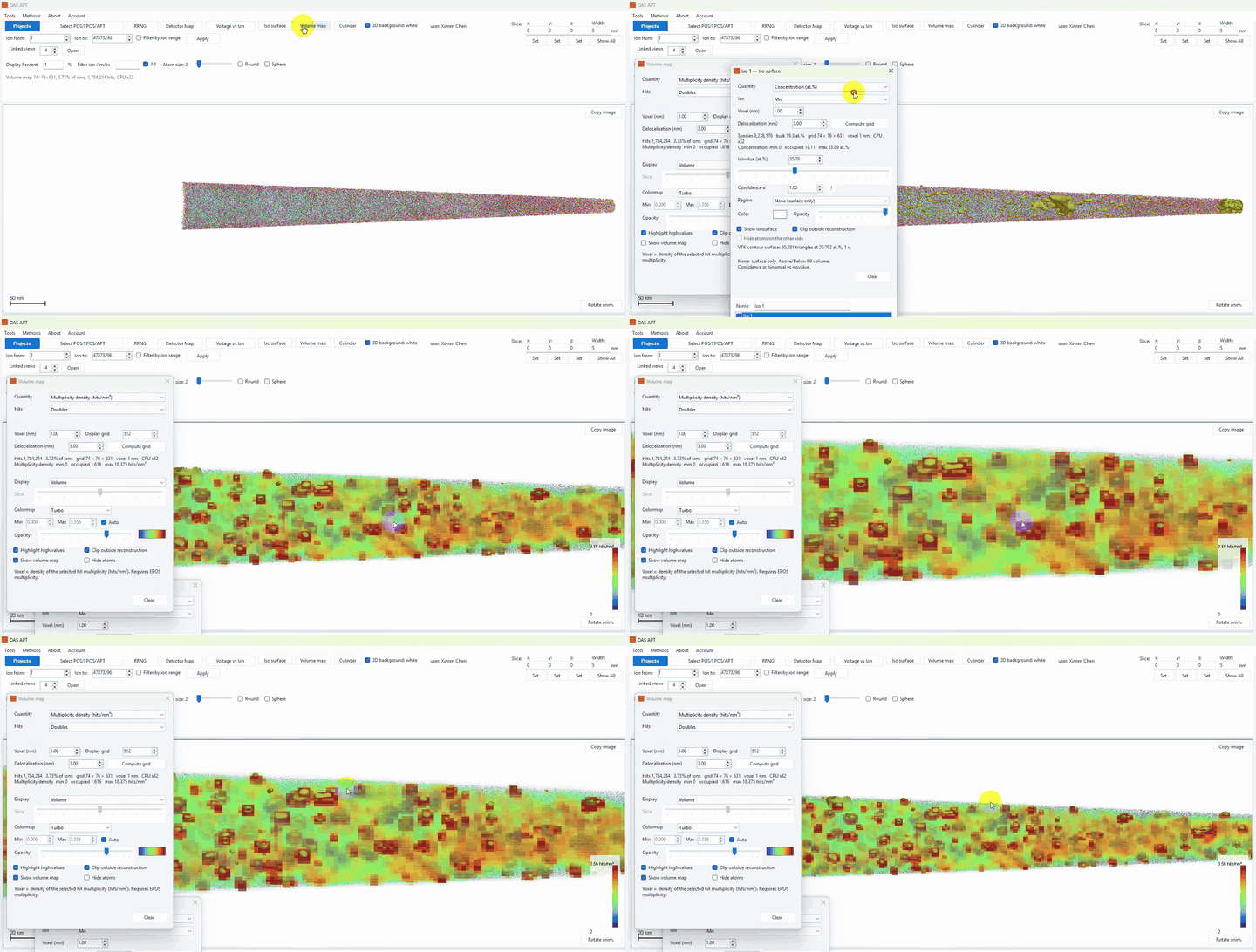
APT Calibrator can map hit multiplicity density in the 3D reconstruction. Load an .epos file (POS has no multiplicity), then open Volume map.
Full walkthrough video: https://dasapt.com/#features
Volume map
- Click Volume map on the toolbar.
- Set Quantity to Multiplicity density (hits/nm³).
- Choose the hit class under Hits: Multiples (2+), Singles, Doubles, Triples, 4+, or All ions.
- Set Voxel (nm), Display grid, and Delocalization (nm), then click Compute grid.
- Display can be Volume or Slice. Use the colormap, Min/Max, Highlight high values, and Clip outside reconstruction as needed.
You can also colour the atom view by multiplicity (Color by: Multiplicity) without computing a volume: singles, doubles, triples, and 4+ each get a legend colour.
APT Calibrator 可以把击中多重度密度画成三维体素图。请先载入 .epos(POS 没有多重度),再打开 Volume map。
完整演示视频:https://dasapt.com/#features
体素图
- 点工具栏 Volume map。
- Quantity 选 Multiplicity density (hits/nm³)。
- Hits 里选击中类别:Multiples (2+)、Singles、Doubles、Triples、4+ 或 All ions。
- 设置 Voxel (nm)、Display grid、Delocalization (nm),再点 Compute grid。
- Display 可选 Volume 或 Slice。可用色标、Min/Max、Highlight high values,以及 Clip outside reconstruction。
也可以不计算体素图,只在原子视图里把 Color by 设为 Multiplicity:单、双、三、4+ 会按图例着色。
0 comments
Sign in to comment.