 DASAPT
 Xinren Chen
Try the slicing function in the new version of DASAPT.🎉
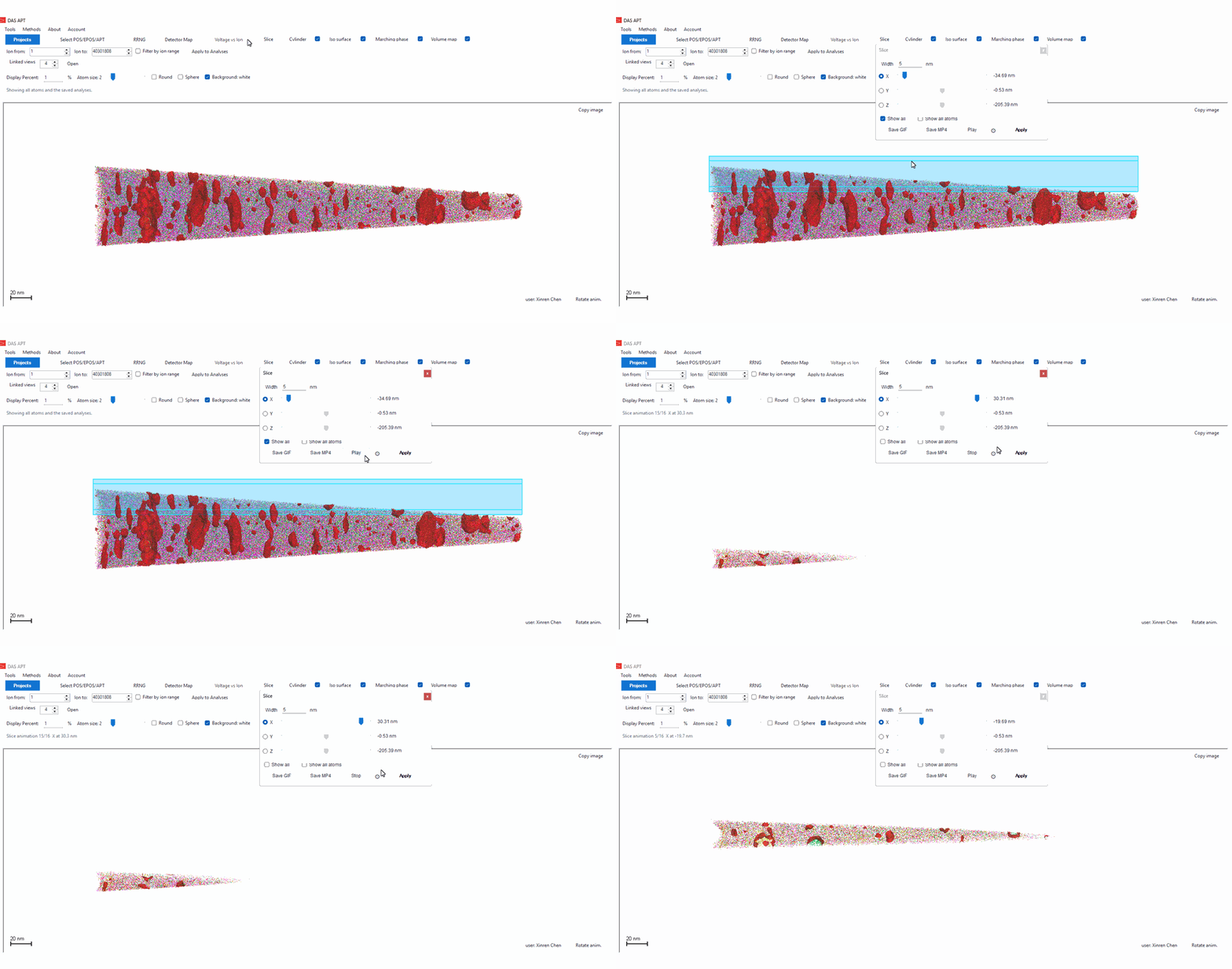
Open Slice and pick one axis: X, Y, or Z. The slab is as wide as the Width you set, and the other two axes always run from the data minimum to the maximum. The translucent box shows the region before you apply it. By default the X slice sits at 0 nm.
Apply shows the atoms inside that slab and keeps the analyses you already computed. Iso surfaces and volume maps are not rebuilt from the sliced ions. The original result is clipped to the slab, so Show all brings the full view back at once. Phase and cylinder profiles are updated inside the slice.
Play walks the slab along the chosen axis. A progress bar shows the calculation, and each finished slice appears immediately. The gear next to Play sets the saved frame size (default 1920 px) and the frame time (default 140 ms). Save GIF and Save MP4 write that animation, including a scale bar.
0 comments
Sign in to comment.